Introduction
Modern organizations are under constant pressure to move faster, reduce manual effort, and deliver seamless digital experiences. Workflow automation has emerged as a critical capability for achieving these goals—especially when combined with low-code platforms that empower both technical and non-technical users to design and run business processes efficiently.
Boomi Flow plays a central role in this shift by enabling organizations to design, automate, and orchestrate workflows that connect people, systems, and data across the enterprise.
Boomi Flow is a low-code workflow automation platform that helps organizations automate business processes, orchestrate human and system workflows, and build digital experiences. It enables faster process design, seamless integration with enterprise systems, and scalable deployment through the Boomi Enterprise Platform.
What Is Workflow Automation?
Workflow automation is the practice of designing and executing business processes using software instead of manual, human-driven steps. These workflows define how tasks move between people, applications, and systems based on rules, conditions, and events.
Instead of relying on emails, spreadsheets, or disconnected tools, automated workflows ensure that each step in a process happens in the right order, with the right data, and at the right time.
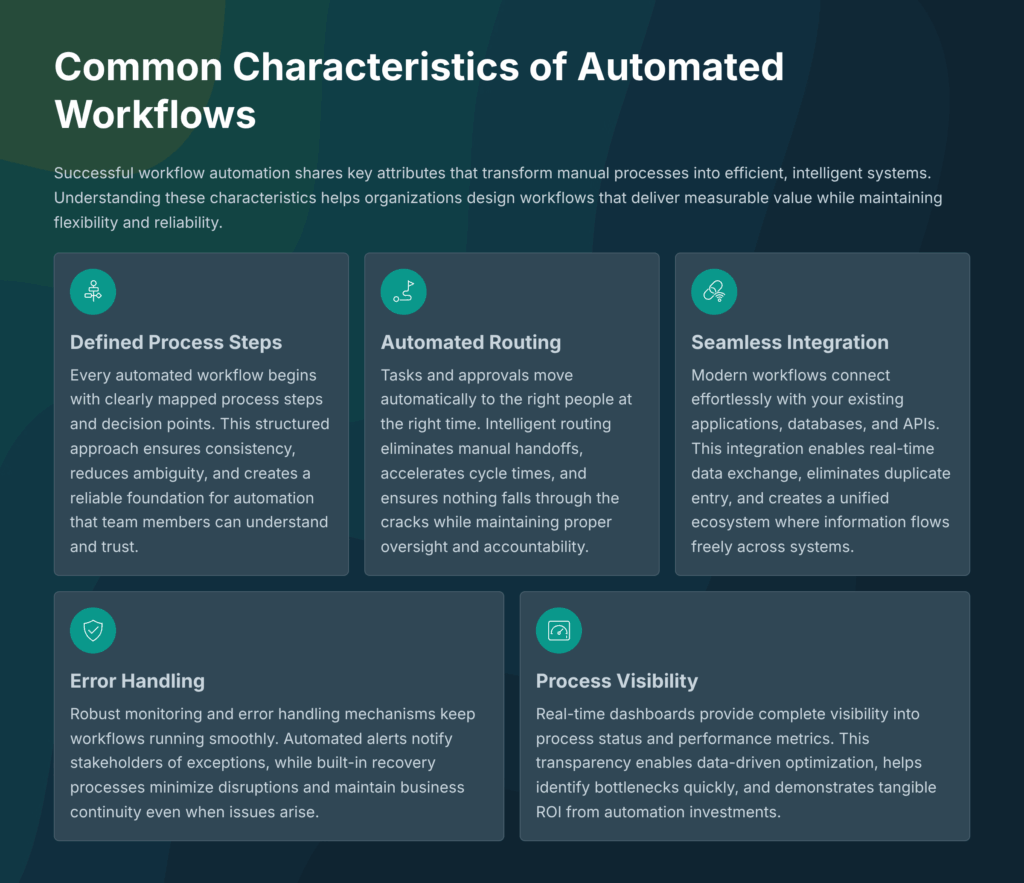
Common Characteristics of Automated Workflows
Automated workflows typically include:
-
Clearly defined process steps and decision points
-
Automated task routing and approvals
-
Integration with applications, databases, and APIs
-
Error handling and monitoring
-
Visibility into process status and performance
Workflow automation is widely used in areas such as employee onboarding, customer service, order management, compliance processes, and internal approvals.
Why Low-Code Platforms Are Transforming Workflow Automation
Traditional workflow automation often required extensive custom development, long delivery cycles, and deep technical expertise. Low-code platforms change this by providing visual, model-driven tools that significantly reduce complexity.
Low-code workflow automation platforms allow:
-
Faster process design using drag-and-drop interfaces
-
Collaboration between business users and IT teams
-
Easier maintenance and continuous improvement
-
Reduced dependency on custom code
This shift enables organizations to respond quickly to changing business needs while maintaining governance and scalability.
What Is Boomi Flow?
Boomi Flow is a cloud-native, low-code workflow automation and application development platform within the Boomi Enterprise Platform. It is designed to build, orchestrate, and manage both human-centric and system-driven workflows.
Boomi Flow focuses on how work moves across users, applications, and services—while leveraging the broader Boomi platform for integration, API management, data management, and runtime execution.
Unlike simple task automation tools, Boomi Flow supports sophisticated, multi-step workflows that span departments, systems, and environments.
Boomi Flow vs Integration: Understanding the Difference
A common question is how Boomi Flow differs from integration capabilities on the Boomi platform.
Boomi Integration focuses on:
-
Moving and transforming data between systems
-
Event-driven and scheduled integrations
-
Backend system connectivity and orchestration
Boomi Flow focuses on:
-
Orchestrating business processes and user interactions
-
Managing approvals, tasks, and decision logic
-
Creating user interfaces and digital experiences
In practice, Boomi Flow and integration work together. A workflow designed in Boomi Flow can trigger integrations, consume APIs, and interact with systems through the platform’s integration layer.
This complementary model allows organizations to automate both the process logic and the data movement behind it.
Core Capabilities of Boomi Flow
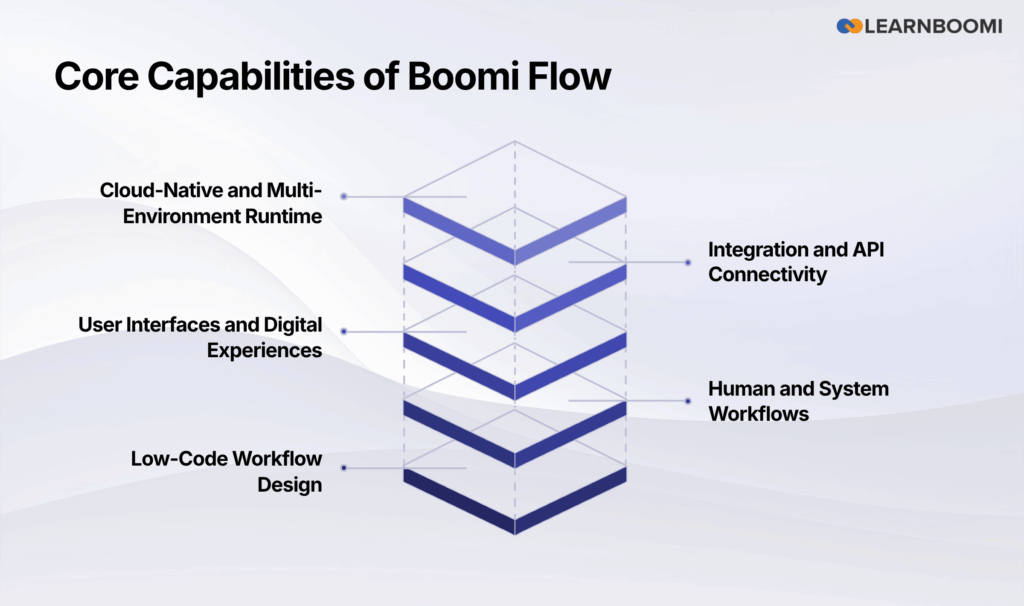
Boomi Flow provides a rich set of capabilities that support end-to-end workflow automation.
Low-Code Workflow Design
Boomi Flow uses a visual, drag-and-drop interface for designing workflows. Users can model processes as flows with steps, decisions, loops, and conditions—without writing extensive code.
This approach makes complex business logic easier to understand, document, and modify.
Human and System Workflows
Boomi Flow supports:
-
Human workflows such as approvals, reviews, and tasks
-
System workflows that run automatically based on events or triggers
This dual support enables complete process automation rather than isolated task handling.
User Interfaces and Digital Experiences
Boomi Flow allows teams to build mobile-ready and web-based user interfaces directly into workflows. These interfaces can collect input, display status, and guide users through processes without requiring separate application development.
Integration and API Connectivity
Boomi Flow integrates seamlessly with enterprise applications through:
-
REST APIs
-
Prebuilt connectors
-
Platform-level integration services
This ensures workflows can interact with ERP systems, CRM platforms, databases, and cloud applications.
Cloud-Native and Multi-Environment Runtime
Boomi Flow applications run on a cloud-native runtime architecture, supporting flexible deployment across environments using Cloud Runtime or Runtime Clusters as needed.
This enables scalability, resilience, and consistent execution across regions.
How Boomi Flow Supports Business Process Automation
Business process automation goes beyond automating individual tasks. It focuses on optimizing entire workflows from start to finish.
Boomi Flow enables business process automation by:
-
Defining standardized workflows across teams
-
Eliminating manual handoffs and delays
-
Enforcing business rules and compliance
-
Providing visibility into process performance
By combining workflow orchestration with integration and data services, organizations can automate processes that previously required significant manual effort.
Real-World Workflow Automation Scenario
Consider an employee onboarding process in a mid-size enterprise.
Without automation:
-
HR sends emails to IT, facilities, and managers
-
Manual follow-ups are required
-
Errors and delays are common
With Boomi Flow:
-
A new hire record is created in the HR system
-
Boomi Flow automatically triggers an onboarding workflow
-
Tasks are assigned to IT, HR, and facilities
-
Integrations provision user accounts and system access
-
Approvals and confirmations are tracked in real time
The result is a consistent, auditable, and faster onboarding experience with minimal manual coordination.
Key Technical Features in Boomi Flow
Beyond workflow modeling, Boomi Flow includes several technical features that support enterprise-grade automation.
Error Handling and Monitoring
Boomi Flow supports configurable error handling, allowing workflows to respond gracefully to failures, timeouts, or data issues.
Security and Governance
Workflows can be secured using role-based access, authentication mechanisms, and platform-level security controls to protect sensitive business processes.
Observability and Performance Insights
Boomi Flow integrates with monitoring tools such as OpenTelemetry, providing visibility into workflow execution and performance.
Reusable Components
Organizations can create reusable workflow components and UI elements, reducing duplication and improving consistency across processes.
Boomi Flow and Intelligent Automation
Workflow automation increasingly overlaps with intelligent automation, where processes adapt based on data, events, and context.
Boomi Flow supports intelligent automation by:
-
Orchestrating event-driven workflows
-
Integrating with APIs and data services
-
Enabling decision-based routing
When combined with platform intelligence and automation capabilities, workflows become more adaptive and responsive to real-time business conditions.
Who Should Use Boomi Flow?
Boomi Flow is suited for a wide range of organizations and roles.
Ideal Use Cases
-
Enterprises with complex, cross-department workflows
-
Organizations undergoing digital transformation
-
Teams seeking faster process automation without heavy coding
-
Businesses requiring scalable and governed automation
When Boomi Flow May Not Be Ideal
-
Extremely simple, single-step automations
-
Scenarios with no integration or workflow orchestration needs
Comparison: Boomi Flow vs Traditional Workflow Tools
| Aspect | Traditional Workflow Tools | Boomi Flow |
|---|---|---|
| Development approach | Code-heavy | Low-code |
| Integration | Limited or external | Native platform integration |
| Scalability | Often constrained | Cloud-native and scalable |
| User experience | Separate UI tools | Built-in UI capabilities |
| Enterprise governance | Limited | Platform-level governance |